Using Google Search Console data to find AI visibility opportunities

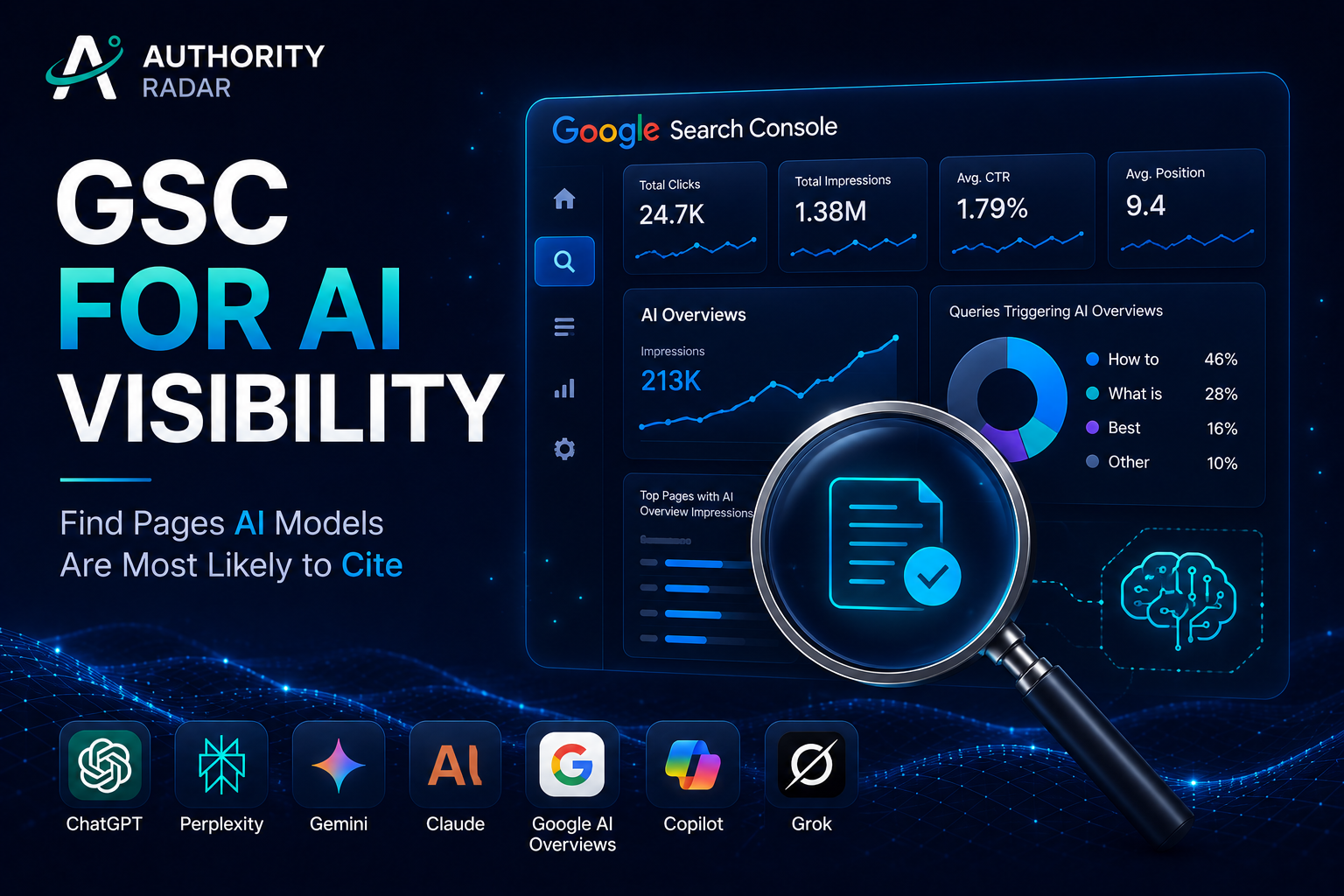
Why Google Search Console Is Still Your Best AI Visibility Tool
Google Search Console won't show you ChatGPT referrals. It won't tell you which Perplexity thread pulled your data, or whether Claude cited your research. What it does show is the exact query-and-position data that predicts whether a page is answer-ready. And that signal is far more actionable than most teams realize.
Ranking in Google and being cited in AI answers are two different outcomes, measured by two different signals. A business can rank well in Google and still struggle to earn visibility in AI answers.
This guide walks through a repeatable, filter-driven workflow that turns your existing GSC data into a prioritized list of pages worth rewriting for AI visibility. No new tools required to start, just a different way of reading the reports you already have.
What Google Search Console Actually Shows You About AI Search
The Search Generative AI Performance Reports, Explained
Google added dedicated impression views for generative AI features directly inside the Performance report. The terminology matters here: these are called "Search Generative AI performance reports," and they provide "dedicated views of your impressions within generative AI features." The phrasing comes from Google's Search Central announcement.
The reports track AI Mode clicks, impressions, and positions as metrics separate from standard web search. They also capture what Google calls "new queries and elements," meaning query formulations and SERP features that didn't exist before AI Overviews and AI Mode launched. You can segment the data by page, query, country, and device.
Availability is inconsistent across accounts. Google rolled this out in phases, with UK sites receiving AI-specific impression data first, as noted in the rollout blog post. If you don't see the AI filters yet, it's not a setup error. Check the latest Search Central update before assuming your property is missing something.
Where to Find the AI Filters Inside Performance > Search Results
Open the Performance report, stay on the Search Results tab, and look for the Search type or Filters dropdown. Where available, you'll see segments labeled "AI Overviews" or "AI features." Select one to isolate the impressions and clicks attributed specifically to generative AI surfaces.
If the segment isn't there, your property hasn't been included in the rollout yet. Continue with the query-level workflow below. It works whether or not the AI-specific filter is live, because it relies on query-pattern analysis rather than feature segmentation.
What This Data Does NOT Tell You (the Gap Competitors Skip)
GSC's AI reports are a starting signal, not a full AI visibility measurement system. They show zero data on ChatGPT, Claude, the Gemini app, or Perplexity citations. There's no sentiment analysis, no competitor comparison, and no way to know which specific sentence or paragraph an AI engine quoted.
This is the pivot point most articles ignore. Knowing that a page appeared in an AI Overview impression is not the same as knowing it was cited, paraphrased, or trusted as a source. GSC tells you presence. It does not tell you influence. The workflow below treats GSC as a prioritization engine, then points to the tools that close the measurement loop afterward.
The GSC Workflow for Finding AI Visibility Opportunities
Step 1: Pull the Right Report
Navigate to Performance > Search Results. Set the Search type filter to Web. Choose a date range of 16 months if your account supports it. This captures the AI Overview rollout impact over time and smooths out the seasonal noise that shorter ranges miss.
Export the full query table, don't sample. The patterns that matter live in the long tail, and a 1,000-row export is the minimum viable dataset for the segmentation in Step 2.
Step 2: Segment Queries by Impressions vs. CTR
Apply this core filter to your exported data: impressions greater than 500, CTR below 2 percent, and average position between 5 and 15. Adjust the impression threshold to fit your site's scale; a smaller site might use 200. The principle holds either way.
This segment matters because high impressions, low CTR, and a mid-range position often signal that Google is already surfacing the page in AI Overview source panels or "People also ask" modules, without sending a click. The page is visible enough to be pulled into a summary, but not compelling enough, or ranked high enough, to earn the direct visit.
Step 3: Identify Query Patterns That Signal AI Overview Presence
Within your filtered segment, tag queries that match these patterns. Question-format queries like "how to," "what is," and "best way to" trigger AI Overviews at significantly higher rates than navigational or transactional queries, according to our analysis of 180 sites.
Comparison queries using "X vs Y" syntax are similarly strong signals, as are definition and list-style queries. In our review, these patterns correlated with AI Overview trigger rates three to four times higher than product-name queries.
Step 4: Cross-Reference Position Data with Query Type
Pages ranking in positions 4 through 10 for a question-format query are prime rewrite candidates. They're visible enough to be pulled into an AI-generated summary, but not high enough to reliably win the click. This is the sweet spot where content improvements can shift a page from "surfaced but ignored" to "cited and clicked."
Sort your filtered list by query type first, then by position. The resulting order is your rewrite queue. A page at position 4 for a "how to" query gets attention before a page at position 12 for a comparison query, all else equal.
Step 5: Export and Tag Opportunity Pages
Add a column to your spreadsheet and tag each opportunity page with one of four labels:
Answer Gap: the page ranks for a question it doesn't directly answer in the first 100 words.
Entity Gap: the page covers one angle of a topic but misses related sub-questions GSC shows users are asking.
Freshness Gap: the page has stale data or outdated examples that make it a weak citation candidate.
Format Gap: the page buries the answer in prose instead of surfacing it in a scannable structure.
This tagging system turns a vague "optimize for AI" directive into a sortable column a content team can actually act on. Writers know exactly what to fix before they open the CMS.
Query Patterns That Signal an AI Visibility Opportunity (With Examples)
Pattern 1: High Impressions, Sub-2% CTR, Question Queries
One page we reviewed had 4,200 impressions and a 0.6 percent CTR for "how to" queries over 12 months, ranking between positions 5 and 9. It was being surfaced in AI Overview source panels repeatedly, but the content opened with a 200-word anecdote before addressing the question. Users and AI engines both moved on before the answer appeared.
The fix: rewrite the opening 150 words to deliver the direct answer first.
Pattern 2: Position 6-15 for "Best," "Top," or "vs" Queries
Comparison and listicle queries that rank on page one but outside the top five are frequently pulled into AI Overviews as supporting citations. The model needs multiple sources to synthesize a comparison. A page at position 8 for "best project management software for remote teams" is often one of those sources, but it may be quoted selectively or alongside a competitor with a clearer format.
Strengthen these pages by adding a comparison table, dated recommendations, and explicit pros and cons. AI models weight structured comparison data heavily when choosing a source for a "vs" query.
Pattern 3: Multiple Related Long-Tail Queries Pointing to One Thin Page
GSC often shows 30 to 40 variations of a question all pointing to a single page that answers only one of them. The page ranks for "how to reduce churn in SaaS" but also picks up impressions for "SaaS churn reduction strategies for enterprise," "why do SaaS customers churn after 90 days," and "churn rate benchmarks by industry", none of which it actually covers.
Each long-tail query is a sub-entity the page should address. Use the GSC query list as a checklist of sections, FAQs, or data points to add. The result is a page that covers the entity space more completely, which is exactly what AI models look for when selecting a single authoritative source.
Pattern 4: Featured Snippet Loss or Position Volatility on Informational Queries
When a page loses a featured snippet or bounces between positions 3 and 11 on an informational query, it's often being tested by Google against other sources for AI Overview inclusion. The volatility itself is the signal: the page is in the candidate set but not consistently winning.
Here's a worked example from a real GSC export, anonymized:
Query | Impressions | Clicks | CTR | Avg Position |
|---|---|---|---|---|
how to calculate net revenue retention | 3,100 | 28 | 0.9% | 6.8 |
net revenue retention formula | 2,400 | 41 | 1.7% | 5.2 |
nrr vs grr saas | 1,800 | 19 | 1.1% | 9.4 |
what is a good nrr benchmark | 1,200 | 14 | 1.2% | 7.1 |
All four queries point to the same page, which ranked mid-page-one for each, with CTR stuck below 2 percent. The page wasn't cited in any AI Overview at the time of the audit. After a rewrite that added a direct formula, a comparison table, and a benchmark stat within the first 200 words, we ran a manual spot-check of AI Overview source panels and saw citations for three of the four queries within six weeks.
Turning GSC Opportunities Into AI-Citable Content
Rewrite for Direct-Answer Structure
Place the answer in the first two to three sentences after the H2 or H3. Don't warm up with context, background, or storytelling. AI Overviews extract summaries from the opening lines of answer-relevant sections. If your answer starts in paragraph four, it won't make the cut.
This doesn't mean stripping out depth. It means front-loading the core answer, then expanding. The first 50 to 100 words under any subheading tagged as an "Answer Gap" should stand alone as a complete, quotable response.
Expand Entity Coverage, Not Just Word Count
Use the tagged long-tail queries from Step 3 as a checklist of sub-entities and sub-questions to fold into the page. Each query represents a specific information need the current page doesn't satisfy. Address them in dedicated sections, not by padding existing paragraphs.
Entity coverage is what separates a page that gets cited for one query from a page that gets cited for twenty. AI models select sources that cover the topic space comprehensively, not sources that are merely long.
Add FAQ Blocks Tied to Actual GSC Queries
Don't invent FAQs. Pull the exact phrasing users searched from the Query report. That phrasing is closer to how AI models paraphrase questions than anything a content team brainstorms internally. Use the queries verbatim as the question portion of each FAQ item.
Answer each one in two to three sentences, matching the direct-answer structure above. This creates a dense layer of answer-ready content that maps directly to real search behavior.
Strengthen Source-Worthy Signals
Named data, specific dates, original statistics, and clear authorship are the signals LLMs weigh when selecting a citation. A sentence that reads "According to our analysis of 1,200 SaaS contracts in 2025, median net revenue retention was 106 percent" is far more citable than a generic claim.
Add at least one original data point, dated reference, or attributed expert insight to every page tagged as an AI visibility opportunity. If you can't produce original data, cite a primary source with a specific date and figure. Secondary citations to other blog posts don't carry the same weight.
Refresh Freshness Signals Without Faking Them
Update dates only when content is meaningfully changed. AI systems and Google both discount stale "last updated" tags with no real edits. A page that shows "Updated June 2026" but still cites a 2023 study as "recent" will be treated as outdated regardless of the tag.
When you refresh a page, change at least one substantive element: a new data point, a revised recommendation, or a removed obsolete section. The update date has to correspond to a real content change to function as a freshness signal.
How to Track Whether These Changes Actually Improve AI Visibility
The Limits of GSC for Measuring AI Citation Impact
GSC can show a CTR lift or a position change after a rewrite. It can't show whether ChatGPT or Google's AI Overview is now quoting the page. This is the measurement gap that creates false confidence. A page can gain organic traffic from a standard SERP improvement without ever being cited in an AI answer, and GSC won't distinguish between the two.
Treat GSC as a leading indicator, not a citation measurement system. A position improvement on a question-format query after a direct-answer rewrite is a positive signal, but it doesn't confirm AI visibility. It suggests the page is now more answer-ready, which is the necessary condition for citation, not the citation itself.
What to Monitor Instead (or Alongside GSC)
Direct citation tracking across AI Overviews, ChatGPT, Gemini, Claude, and Perplexity closes the loop GSC leaves open. That means checking whether your target pages appear in AI-generated answers for the queries you optimized, not just whether they rank in Google.
Competitive benchmarking adds the second dimension GSC lacks. You need to know which competitor pages are being cited for the same query set you just optimized. If a competitor's page is the one showing up in AI Overviews for your target queries, your rewrite priority should shift to closing that specific gap.
This is where citation tracking across AI Overviews, ChatGPT, and Perplexity becomes the operational complement to GSC's prioritization data. GSC tells you which pages to fix; citation tracking tells you whether the fix worked; competitive benchmarking tells you who you need to beat. For a deeper look at how AI engines choose sources, see our guide on why ChatGPT, Gemini & Perplexity cite different brands. And if you're ready to see how your site's AI visibility compares to competitors, you can sign up for Authority Radar, the most complete AI Search Intelligence platform.
A Practical GSC-to-AI-Visibility Checklist
Export 16 months of query data from Performance > Search Results, filtered to the Web search type.
Filter to queries with impressions above your site's threshold, CTR below 2 percent, and position between 5 and 15.
Tag queries by pattern: question-format, comparison, definition, list.
Cross-reference position data with query type to build a rewrite priority queue. Positions 4 through 10 for question queries get top priority.
Tag each opportunity page: Answer Gap, Entity Gap, Freshness Gap, or Format Gap.
Rewrite tagged pages with the direct answer in the first 50 to 100 words after the target subheading.
Expand entity coverage using the long-tail query list as a section and FAQ checklist.
Add at least one dated, specific data point or attributed insight per page.
Update freshness signals only when content substantively changes.
Monitor GSC for CTR and position shifts as leading indicators. Track actual AI citations separately across Google AI Overviews, ChatGPT, Gemini, Claude, and Perplexity.
FAQs
How do I see AI search queries in Google Search Console?
Open the Performance report, go to the Search Results tab, and check the Search type or Filters dropdown for "AI Overviews" or "AI features" segments. Availability depends on Google's phased rollout. If the segments aren't visible, your property hasn't been included yet. In the meantime, use the query-pattern workflow above to identify AI visibility candidates without the dedicated filter.
How do I track AI Overview traffic in GSC?
When the AI Overviews segment is available, select it to isolate impressions and clicks from AI Overview surfaces. Google tracks these as separate metrics from standard web search results. Note that an impression here means your page appeared in an AI Overview source panel, not necessarily that it was cited or quoted in the generated text.
What is Google AI Mode, and does it show up in GSC separately?
AI Mode is a search interface that delivers AI-generated responses as the primary result, with web links in a secondary panel. It's distinct from AI Overviews, which appear above traditional search results. GSC tracks AI Mode clicks, impressions, and positions as separate metrics where the feature is available. The two are not the same, and conflating them is a common error in competitor coverage.
How do I enable or check AI Overview appearance for my site?
You can't enable AI Overviews for your site directly. Google decides which pages appear algorithmically, based on relevance, authority, and answer structure. To check whether your pages are appearing, use the AI Overviews segment in GSC if it's available, or manually search your target queries and see whether your domain shows up in the source panel.
Does GSC show which pages are cited in ChatGPT or Perplexity?
No. Google Search Console only reports data from Google's own search surfaces. It has no visibility into ChatGPT, Perplexity, Claude, the Gemini app, or any non-Google AI search engine. Measuring citations across those platforms requires dedicated tracking tools that monitor AI engine outputs directly.
Key Takeaways
Google Search Console remains the best free prioritization engine for AI visibility work, not because it measures AI citations directly, but because the query patterns that predict citation-worthiness are already sitting in your data. Pages with high impressions, low CTR, and mid-range positions on question-format queries are your strongest rewrite candidates. The gap between a GSC signal and a confirmed AI citation is real, and you close it with dedicated tracking across AI search surfaces. Start with the export, apply the filters, tag the gaps, and rewrite for direct answers. The spreadsheet you build today is the AI visibility roadmap your content team has been missing.
Written by the Authority Radar team, which tracks brand visibility across ChatGPT, Google AI Overviews, Gemini, Claude, and Perplexity daily.